
SERVER F4 E6S / E7 / G8 PWR.LITE / E22 / E22I E20/ G20 / E32 / E40 / E6I / E7I / G22
Connection Instructions
1️⃣ Download Usb Redirector 1.9.7 Click Here
2️⃣ Download Metamode Click Here
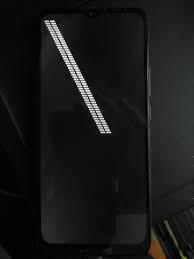
❇️Connect powered off without buttons to enter MetaMode (MTK)❇️
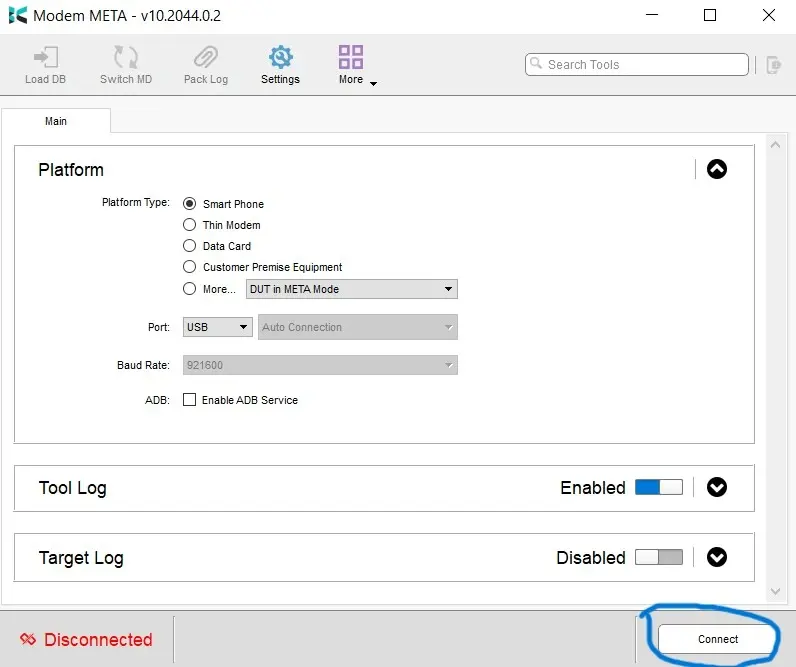
Correct Metamode Connection✅
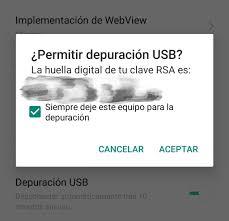
❇️ADB Connection for SPD Equipment (Be careful to accept ADB permissions)❇️
3️⃣ Send Orders + IP Click Here + SN (Whatsapp Support Click Here
4️⃣ ENTER THE DDNS THAT PROVIDES WHATSAPP SUPPORT Click Here
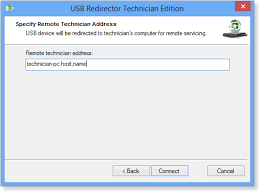
❇️When WhatsApp support provides the DDNS, enter it and click Connect.
Previously set to Metamode. In the case of MTK:
IF SPD, CONNECT IN ADB AND WAIT FOR CONNECTION ACCEPTANCE❇️
Step 1️⃣
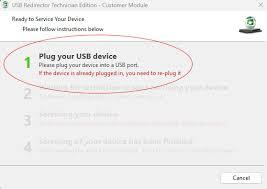
Reconnect cable for Step 2️⃣
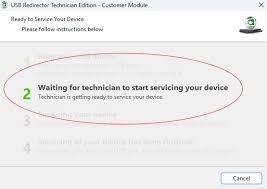
❇️Once you provide your IP address, support will proceed with your service. Please pay attention in step 3 if your device is SPD to accept ADB.❇️
Step 3️⃣
❇️Please wait for the technician to finish their service; do not disconnect in step 3.
Your equipment is at risk.❇️
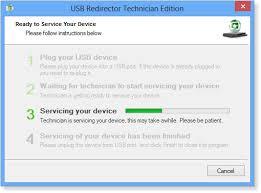
Step 4️⃣
❇️Once you reach step 4, close the program; your computer will now be processed correctly✅.
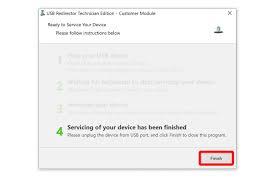
Thank you for trusting our team. ⭐DCUNLOCK TEC ARG UNITED⭐

![Unlock Tool Rent For [ 12 hours ]](/media/unlock-tool-activation.webp)